Version 26.3 released

Hello everybody!

at first I want to thank you for your feedback in the beta phase in which we could mitigate some bugs to make this release even more stable.

Today we are releasing the new Libre Workspace Version 26.3 as scheduled.
Your Libre Workspace Instance will update automatically at this night.

:rocket: Highlights of Libre-Workspace 26.3.0

Following our recent updates, version 26.3 brings massive architectural upgrades—most notably a fully native mail stack, “Libre Workspace Glue”, and a new Task Center.

:e_mail: Native Mail Stack Integration

We have built a full-featured, native email server stack directly into Libre Workspace!

  • Core Stack: Integrated Postfix (SMTP routing), Dovecot (IMAP/LMTP), and SnappyMail (webmail client).

  • Easy Admin: Includes a step-by-step DNS configuration guide (MX, SPF, DKIM, DMARC) directly in the UI. OpenDKIM automatically generates 2048-bit key pairs on setup.

  • User Features: Automatic folder registration (Drafts, Junk, Trash, etc.), native mail forwarding/aliases management, and built-in Sieve filter support for custom sorting rules and out-of-office replies.

  • REST API & Quotas: A new MTA API client view lets you manage active outbound routes, hourly rate quotas, and remote domains (with a Standalone Mode fallback for unlimited local routing). This will be a bookable service in the future for all libre workspace instances which don’t want to handle the mail sending and receiving by themselves.

:chains: “Libre-Workspace-Glue”

To tie our growing ecosystem together, we have significantly expanded our internal automation capabilities.

  • Future-Proof Automation: Added a robust set of new event signals for addons triggered during user creation, user updates, group creation, and group updates. This lays the groundwork to easily automate Nextcloud group folder creation, Matrix chat rooms, and more.

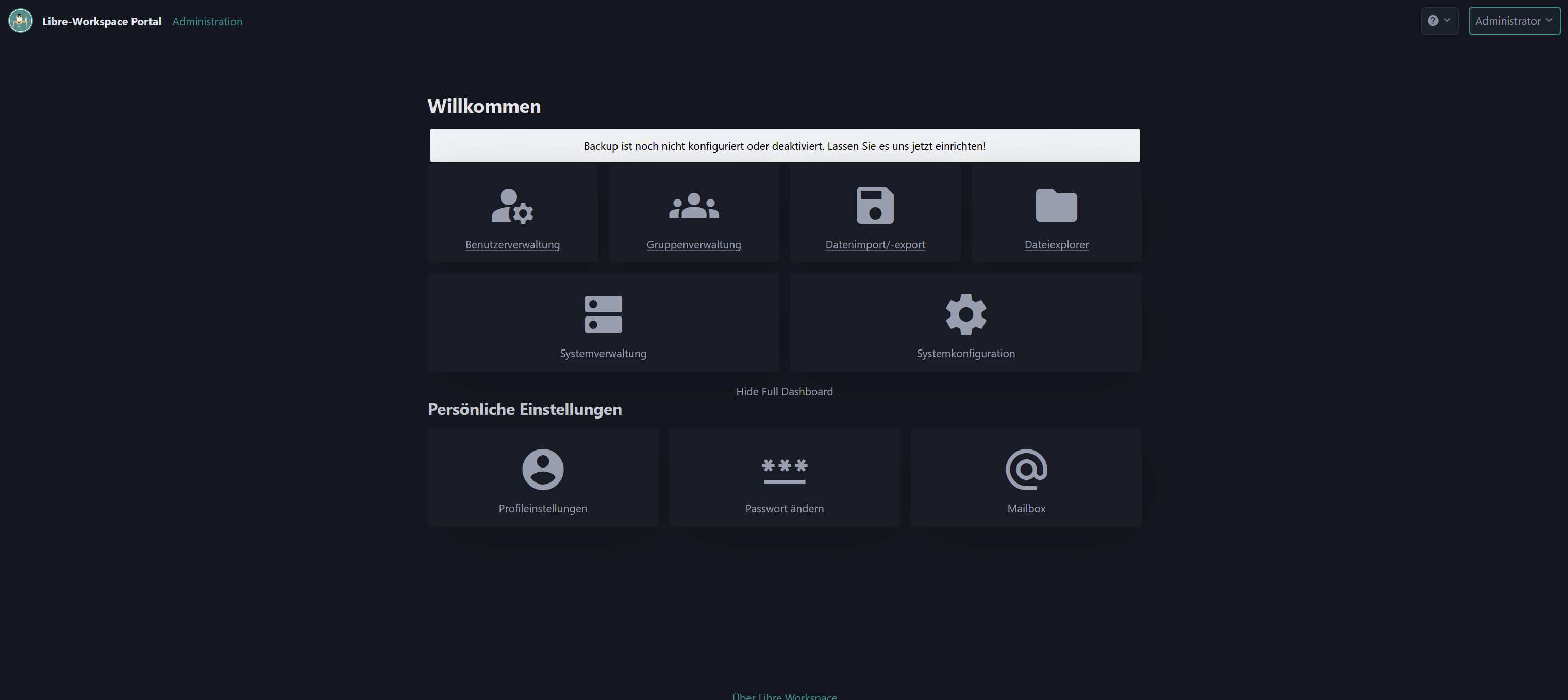
  • All-in-One Dashboard Layout: We introduced a new sidebar on the left side of the front page. All integrated addons can now be opened directly inside the portal frame—no more jumping between separate browser tabs!

:gear: Libre Workspace Task Queue

We have introduced a brand-new task management system to handle background operations.

  • Traceable & Transparent: This system makes it incredibly clear and easy to follow exactly what the backend is doing during module installations, upgrades, and system processes.

  • Admin Auditing: A dedicated new admin page allows you to trace, audit, and view the execution history of all issued background tasks.

:speech_balloon: Matrix Authentication Service (MAS) Migration

User logins for the Matrix (Synapse) module have been refactored. Authentication is now delegated through the Matrix Authentication Service (MAS) instead of direct LDAP configurations.

  • MAS acts as an intermediate broker, linking Matrix authentication straight into our central OIDC identity provider.

  • Setup and rebuild scripts (setup_matrix.sh / rebuild_matrix.sh) have been rewritten to automate this transition seamlessly.

:shield: Restricted “User Administrator” Role

To support organizations where managers need to add users but shouldn’t touch server infrastructure, we’ve added a delegated admin role. Users in the user-admins LDAP group can manage users and groups, but they:

  • Cannot access the “Easy Dashboard” or system settings.

  • Cannot delete themselves, the default Administrator, or full system admins.

  • Cannot modify privileged security groups or promote anyone to full system admin.

:control_knobs: Dashboard Import/Export & Customizations

  • Migration Tools: Added Django management commands (export_dashboard, import_dashboard) and shell wrappers to easily backup or migrate card layouts, visibility rules, and branding.

  • Smart Layouts: A new overwrite_automatic_generation attribute ensures your custom card titles, icons, and URLs don’t get wiped out during system reloads.

:video_camera: Jitsi Meet Upgrades

  • OIDC Security: Configured OIDC redirection via jitsi-go-openid so only authenticated portal users can create or join rooms.

  • WebSocket Proxies: Added bypass paths in the Jaddy proxy configuration for Colibri WebSockets, completely resolving random call drops during conferences.

:floppy_disk: Maintenance, Backups & Reliability

  • Backup Penalties: If your last 7 backup runs fail, the system status calculator will now automatically deduct 20% from the overall system health score.

  • Borg Remote Paths: Updated backup routines to natively support secure remote storage via the $REMOTEPATH environment variable.

  • IP Change Automation: The change_ip script now scans /root/ directories and automatically runs docker compose down && docker compose up -d to reinitialize networking for containers on host IP changes.

  • Self-Healing Cron: A backend daemon now runs an hourly non-interactive dpkg fix to automatically clear broken or interrupted package installations.

  • SSE Connection Stability: The installation dashboard now automatically retries connection to the Server-Sent Events (SSE) log stream every 3 seconds if it drops out.

:artist_palette: UI/UX & Documentation Updates

  • Appearance Controls: Added an option to force the dashboard into Light Mode, and administrators can now completely disable/hide the “Password Reset” links.

  • Hardware Requirements Documentation: Rewrote installation.rst to provide exact baseline recommendations ranging from a Minimal instance (2 GB RAM, 1 CPU for portal/Nextcloud only) to a Mid-Tier Server (10 GB RAM, 4 CPU) and Enterprise sizing.

  • Translations: Cleaned up duplicate keys and formatting bugs in both English and German localization catalogs.

:bug: Notable Bug Fixes

  • OIDC RSA Key Bloat: Fixed a critical bug where a new duplicate OIDC RSA key pair was generated on every single startup. Added a self-healing patch to safely prune redundant keys from your database.

  • Identifiable Backups: Backup error email subjects now include the specific server instance name for easier troubleshooting in multi-site deployments.

Further changes since start of the BETA phase:

Since the start of the BETA phase we introduced some not system breaking features but to pack this version with even more features:

  • 2FA via WebAuthn (for YubiKeys, etc.): Next to the TOTP Libre Workspace now offers to store 2FA via WebAuth.
  • Libre Workspace Glue Implementations: As initially promised, we now have implemented some signals which now handle:
    • Creation/assignment of Nextcloud group/team folders, when a group is created/managed
    • When users are created/updated the desktop module functionality for preparing the DE and user moved to the module itself via the signals
    • Creation/assignment of matrix groups when a group is created/managed
  • Impersonate Function: An admin can now impersonate as another user to make it much more accessible to test out/debug user behaviour.

Download

You can download the latest version for a new installation here: https://repo.libre-workspace.org/libre-workspace.iso


Roadmap: What’s Coming Next?

For the next release cycle (26.4) We are considering a slim docker-compose solution with selected modules. Also we want to test out useful AI Integration as an additional module as well as reworking the addon center to make it more accessible and to provide more information. Furthermore the client management should get some focus in the next version. The release is planned to be in October this year

What do you think of the new release? What features or changes would you like to see in Libre Workspace? Let me know in this thread or on Codeberg!

Cheers,
Jean

2 Likes

Hi Jean, great work, thanks. One thing: after upgrading and restart it isn’t possible to activate the sidebar. You cannot even choose to start in portal mode or not. In the last Beta release the sidebar worked, in the actual release apps are opened in a new tab. Even in the config of the dashboard entries there is no possibility to choose whether the app should be opened in an iframe or not.

Regards Michael

1 Like

Ok ok, the concert of wishes is open :slight_smile:
For the “Kleber” I would like to have an option “open in full screen”, if possible with a query on which screen. Very practical for presentations.
It would also be practical to show an overlay, via a button on the “Kleber”, with a QR code (fed via the clipboard)

The highlight would be a virtual user who always starts with an empty profile and data, so that everyone could log in to a meeting and work collaboratively or try things out. The first person to log in is the moderator and can allow/disallow appstart.
If something sensible comes out, data can be transferred if desired.

still needs to be worked out.

Thanks for LwS

1 Like

Hi Michael,

does your browser notify the website that it is a mobile phone?
Because we disabled the portal mode for mobile phones.

Does anyone else experience the problem?
I cant confirm the problem currently.

Hi Jean,
I’m also having the problem that “Libre-Workspace-Glue” isn’t showing up, even though I have a 1440p monitor and have checked in Zen, Firefox, and Brave. Also, I can’t find the Task Manager anywhere. As of today, I’ve noticed a minor glitch in the dropdown menu on the header (which spans the entire width of the screen). See the screenshots for more details.

I updated it to LiWo 26.3.0, and it was originally installed using the DEB file from version 26.1.


– Libre-Workspace Portal on Version 26.3.0 –


Maybe you can enable Libre-Workspace Glue and the Task Manager in a configuration file.

Best regards, Niklas

Yes, it’s definitely a bug on non-cloud instances. My own hosted instance has this problem where the cloud instance doesn’t have that.

Opened an issue in the repo for the “Libre Workspace Glue” bug: #351 - [BUG] "Libre Workspace Glue" not available on non-cloud instances. - Libre_Workspace/libre-workspace - Codeberg.org

2 Likes

I think I found the error. I wrote my observation as a comment on the issue.

1 Like

Thanks for your feedback.
We had the git tag at an earlier stage at the repo, pushed out now 26.3.1
Enjoy the new version!

1 Like

I have the feelings that the very same issue is at the cloud instances now, @Jean.

Hat sonst auch noch wer Probleme mit Matrix/Element seit dem Update, oder bin nur “ich” betroffen?

Ich bastle mit Hilfe der KI mir den Weg raus, zumindest habe ich es geschafft, dass die zwei Health-Check-Mails stündlich nicht mehr kommen…

Hallo zusammen,

nach dem automatischen Update auf Libre Workspace 26.3.0 habe ich bei meiner non-cloud Instanz ein konsistentes Problem rund um Matrix/Element.

Was hat sich geändert?
Laut Release Notes von 26.3 gibt es eine “Matrix Authentication Service (MAS) Migration” und Matrix-Logins wurden auf MAS als Broker zum zentralen OIDC-IDP umgestellt.

Aktuelles Verhalten (Problem)

  1. Element lädt wieder den generischen “Server auswählen / Heimserver eintragen”-Flow statt der früheren Libre-Workspace-Login-Option („mit Libre Workspace Anmelden“).
  2. Zusätzlich zeigt Element weiterhin matrix.org als Default-Homeserver:
    https://element.domain.tld/config.json enthält weiterhin “default_server_config” → “m.homeserver” → “server_name”: “matrix.org”
  3. Gleichzeitig ist die OIDC-Discovery ĂĽber Matrix/MAS sichtbar:
    https://matrix.domain.tld/.well-known/openid-configuration ist erreichbar und zeigt issuer sowie zugehörige OIDC-Endpunkte für matrix.domain.tld.

Diskrepanz (warum ich das als Bug sehe)

  • OIDC/Discovery (MAS) scheint grundsätzlich zu funktionieren, weil die .well-known/openid-configuration bei mir erreichbar ist.
  • Element folgt aber weiterhin nicht dem Libre/MAS-basierten Setup und fällt in den Standard-UI/Defaults zurĂĽck (matrix.org + “Server auswählen”).
  • Das wirkt so, als ob Element nach der MAS-Migration entweder:
    • den Default Homeserver / SSO-Integration nicht korrekt aktualisiert bekommt, oder
    • die benötigten OIDC/Redirect/Client-Parameter nach dem Update nicht “spät genug” oder nicht zuverlässig angewendet werden.

Ich möchte ungern bei jedem Update manuell herum konfigurieren.

Was ich zur Zwischenbehebung (Workarounds) tun musste

Damit der Service ĂĽberhaupt wieder lief, musste ich einmalig nach dem Update folgende Punkte reparieren (kurz):

  • Matrix-Container / MAS startete zunächst nicht (fehlende/kaputte MAS-Konfiguration bzw. Dienste kamen nicht hoch).
  • GHCR (“ghcr.io”) Zugang war notwendig, weil das MAS-Image sonst nicht gezogen/gestartet werden konnte.
  • Danach war MAS-Config inkonsistent (z.B. leere/fehlende Felder wie secrets) und es musste die MAS-DB/URI korrekt gemacht werden, damit MAS wieder stabil läuft.

(Ich erwähne das nur, um den Zeitraum/Trigger der Migration nachvollziehbar zu machen; ich suche eine robuste Lösung, bei der das nach Updates nicht wieder passiert.)

Logs/Belege (falls hilfreich)

Danke & viele GrĂĽĂźe

Auf meiner web Instanz läuft Matrix auch nicht mehr sauber!
Mit libre worksapace weiter → neues Konto → lässt er sich auch anlegen was eigentlich nicht funktionieren sollte
Standard Login Daten eingeben → ungültiger Login

Ich komm also derzeit nicht in meine Chats!

Hab jetzt mal grob durchgetestet:
2FA Passkey:
Die Yubikey integration läuft derzeit nicht sauber, wenn ich den 2fa per passkey mache, bringt er einen fehler und meldet mich halb an, Portal erreichbar aber die dienste bekommen einen Fehler
Ich habe 2 Passkeys registriert (1x Hardwaree, 1x Software) er bringt mir beim anmelden aber keine auswahl und will nur den 1. key
Problem, als erstes spricht er dann den 2. key (software) an, wenn ich dann abbreche um zum anderen key zu wechslen bricht er den ganzen vorgang ab und ich hab diesen halben modus der aber eigentlich nicht gehen sollen dĂĽrfte

Jitsi:
wie kann Ich von den bisherigen anmeldung umstellen auf die neue? er nimmt die zuvor hinterlegten aber keine anderen! Anmeldung per portal Login nicht möglich

Matrix / elements:
wie bereits oben beschrieben, habe ich keine chance auf mein “altes” konto zuzugreifen. login nicht möglich da entweder anmeldedaten ungültig oder konto existiert bereits. neues konto lässt sich anlegen, aber der alte wiederherstellungsschlüssel bringt hier logischerweise nichts. Ich komme also nicht mehr in meine alten chats, egal wie ich es grade anstelle.

einen manuellen eingriff will ich eigentlich vermeiden, da meistens im anschluss mehr probleme entstehen als wenn es sauber gefixt wird.

Same issue on my instance.

Bzgl. matrix:

Das Problem ist, dass MAS eine Schema-Änderung in den letzten Tagen/Wochen hatte, und unser patch auf manchen Instanzen nicht mehr einwandfrei scheint durchzulaufen. Hiermit habe ich meine Instanzen wieder hochbekommen, bin gerade noch am überlegen, ob wir das in einen Patch verarbeiten.


1. MAS-Datenbank zurücksetzen & Schema-Kompatibilität herstellen

cd /root/matrix

# 1. MAS stoppen & Datenbank zurĂĽcksetzen
docker compose stop mas
docker compose exec -T db psql -U synapse -d synapse -c "SELECT pg_terminate_backend(pid) FROM pg_stat_activity WHERE datname = 'mas';"
docker compose exec -T db psql -U synapse -d synapse -c "DROP DATABASE IF EXISTS mas;"
docker compose exec -T db psql -U synapse -d synapse -c "CREATE DATABASE mas;"

# 2. MAS-Datenbankmigrationen ausfĂĽhren
docker compose run --rm mas --config /config/config.yaml database migrate

# 3. Abwärtskompatible Schema-Spalten ergänzen & Provider syncen
docker compose exec -T db psql -U synapse -d mas -c "ALTER TABLE user_emails ADD COLUMN IF NOT EXISTS confirmed_at TIMESTAMPTZ;"
docker compose exec -T db psql -U synapse -d mas -c "ALTER TABLE users ADD COLUMN IF NOT EXISTS primary_user_email_id UUID;"
docker compose run --rm mas --config /config/config.yaml config sync


2. Benutzer-Migration von Synapse zu MAS ausfĂĽhren (syn2mas)

docker run --rm --network matrix_default -v /root/matrix:/root/matrix node:latest \
  npx -y @matrix-org/syn2mas --command migrate \
  --synapseConfigFile /root/matrix/synapse-data/homeserver.yaml \
  --masConfigFile /root/matrix/mas-data/config.yaml \
  --upstreamProviderMapping oidc-libreworkspace:01HFPQ8B2Z2W5T9JZJ9X2W7FA0


3. OIDC-Verknüpfungen (Portal ID → MAS User) aktualisieren

Falls Benutzer in Synapse noch keine OIDC-External-ID hatten oder syn2mas die Zuordnung ausgelassen hat:

. /var/lib/libre-workspace/portal/venv/bin/activate
. /etc/libre-workspace/portal/portal.conf
python3 /usr/lib/libre-workspace/portal/manage.py shell -c "
import subprocess
from django.contrib.auth.models import User

for u in User.objects.all():
    sub_id = str(u.id)
    username = u.username.lower()
    sql = f'''
    INSERT INTO upstream_oauth_links (upstream_oauth_link_id, upstream_oauth_provider_id, subject, user_id, created_at)
    SELECT gen_random_uuid(), p.upstream_oauth_provider_id, '{sub_id}', u.user_id, NOW()
    FROM users u CROSS JOIN upstream_oauth_providers p WHERE LOWER(u.username) = '{username}'
    ON CONFLICT (upstream_oauth_provider_id, subject) DO UPDATE SET user_id = EXCLUDED.user_id;
    '''
    subprocess.run(['docker', 'compose', '-f', '/root/matrix/docker-compose.yml', 'exec', '-T', 'db', 'psql', '-U', 'synapse', '-d', 'mas', '-c', sql])
"


4. Dienste neu starten & Status prĂĽfen

docker compose up -d
docker compose ps

Bzgl. Jitsi: Am besten entfernen und dann wieder hinzufĂĽgen ĂĽber die Modul verwaltung.

Bzgl. 2FA: Schaue ich mir demnächst nochmal genauer an!

Ich kann größtenteils positive rückmeldung geben!
Anmeldung an elements durch das Portal funtioniert nach dem durchlauf der befehle.

Anmeldung per app ist aber derzeit nicht möglich, hier wird nach benutzername und passwort gefragt. die option für anmeldung per libre gibt es nicht.

Auf der desktop anwendung in meinem Linux Mint, komme ich nur bis zum fortfahren nach der angabe der serveradresse … ab hier gehts nimmer weiter.

Zum Themenpunkt Matrix/Element/MAS: Ich bin hier schon seit gestern Abend dabei einen entsprechenden PR fertig zu stellen.

Den Link zur PR habt ihr hier: #353 - Add base_url and issuer updates to configuration; implement patch for matrix setup - Libre_Workspace/libre-workspace - Codeberg.org

Hi
Jitsi neuaufbau hat ausgereicht, funktioniert nun auch korrekt

2FA ist jetzt nicht entscheidend, dennoch eine frage dazu, wieso den passkey nur als 2fa und nicht als Login methode?

Wichtiger:
Wir haben unserer komplette Kommunikation auf elements umgestellt, und können uns mit der Desktopversion nderzeit nicht anmelden … der Login per portal ist soweit erst mal möglich.

Bastelt ihr noch einen Patch oder gibt es einen workaround?

Elements:
War am ende nur ne kleinigkeit →
in der config.yaml des mas war der issuer leer, nachgetragen mit der korrketen adresse (i.d.R. die gleiche wie public_base) Login geht nun.